



 456
456
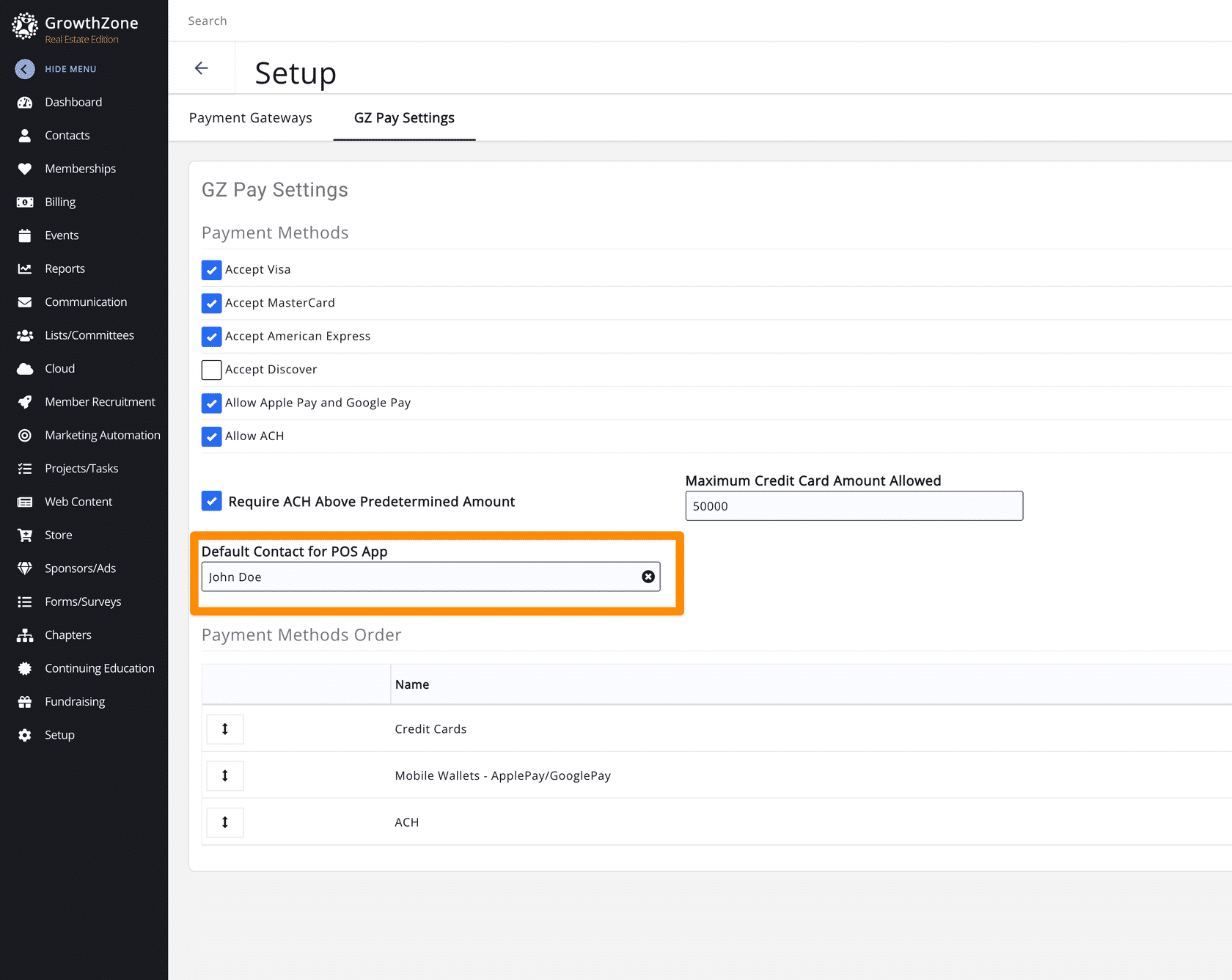
By default, the app records payments under the contact record for the staff user who is signed in to the app. If desired, you can set a default contact for all payments collected through the app. When accepting a payment, you will have the option to Link a Transaction to an existing contact, create a new contact, or Skip linking the transaction. See GrowthZone Pay App: Accepting Payments for more details.
 To order a Card Reader for your GZ Pay App, please use this link:
Setting a Default Contact
To set a default contact for use in the app:
- Go to Setup -> Finance -> Payment Gateways -> GZ Pay Settings.
- Enter the default contact's name in the Default Contact for POS App field.
- Select the correct contact from the dropdown list that appears.
Related Articles
Order Card Readers for GrowthZone Pay App
GrowthZone Pay App: Configure the App
GrowthZone Pay App: Configure your Fee Item(s)
GrowthZone Pay App: Configure Your Payment Gateway
GrowthZone Pay App: Accepting Payments
GrowthZone Pay App: Paying Open Invoices

