



 639
639
Download
The app is available for United States-based GrowthZone customers.
• For iPhones and iPads running iOS 16.7 or later: https://apps.apple.com/us/app/growthzone-pay/id6745103525
• For Android devices: https://play.google.com/store/apps/details?id=com.growthzone_pos.app&pcampaignid=web_share
Required App Permissions
When you first open the app, you'll be prompted to allow access to your phone's location and Bluetooth connection.
Location Services
GZ Pay records your phone's location when you accept a payment. This information is used to reduce fraud and is not used for any other purpose. You must allow access to this to accept payments with a card reader or Tap to Pay.
Bluetooth Access
GZ Pay uses Bluetooth to communicate with your card reader. The app does not connect to any other Bluetooth devices. You must allow access to this to accept payments.
Navigation
Home Tab
After granting permissions and logging in you'll be taken to the Home tab. Here you'll see a list of the fee items that you've flagged for use in the app.
You'll also see a red banner indicating that you can't accept a payment until you connect a card reader or enable Tap to Pay. Either tap the banner or tap the gear icon at the bottom of the app to open the Settings tab.

Settings Tab
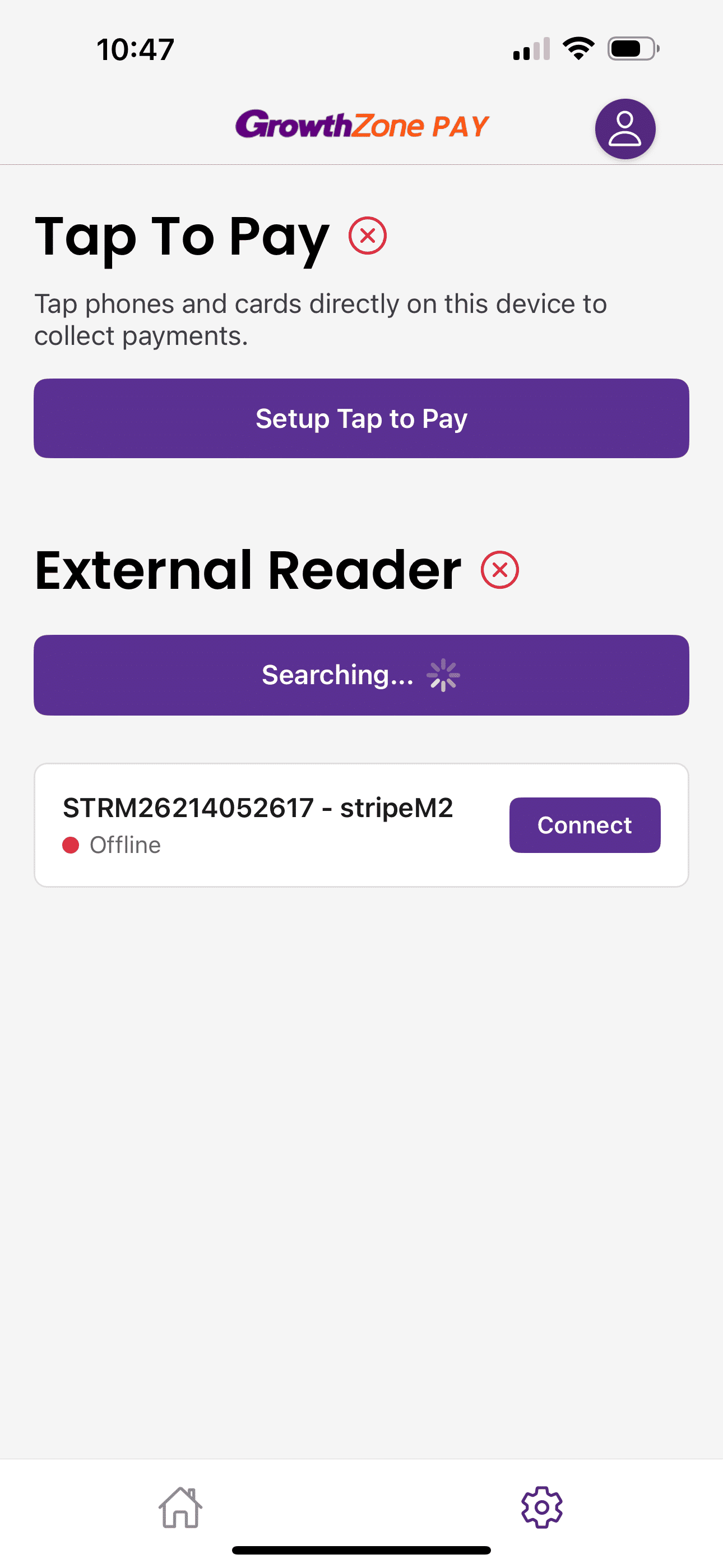
From this tab, you can choose whether you'd like to accept payments via a card reader or through Tap to Pay on your iPhone.
|
|
iPads and Macs do not have the hardware to accept payments via Tap to Pay, so you'll only see an option to connect a card reader on these devices. |

Tap to Pay
Tap the Setup Tap to Pay button, then follow the on-screen prompts to complete the setup on your device.
External Reader
Currently, the only external reader supported by the app is the Stripe M2 reader. To pair the reader, press the side button until you hear a beep. The 4 green lights on the front of the reader will flash to indicate the reader's battery charge state.
 To order a Card Reader for your GZ Pay App, please use this link:
Tap Search for Payment Terminals to have your phone or tablet search for nearby readers.
Related Articles
Order Card Readers for GrowthZone Pay App
GrowthZone Pay App: Configure your Fee Item(s)
GrowthZone Pay App: Configure your Default Contact
GrowthZone Pay App: Configure Your Payment Gateway
GrowthZone Pay App: Accepting Payments
GrowthZone Pay App: Paying Open Invoices

