



 889
889
Real Estate Edition ONLY Introduction
The Real Estate Edition Error Log is a location for Real Estate Edition staff to view errors that may occur during sync across their various Real Estate integrations. This is for the Real Estate Edition ONLY, and it is available to all back-of-the-house staff who can access the Setup module.
Where to Find
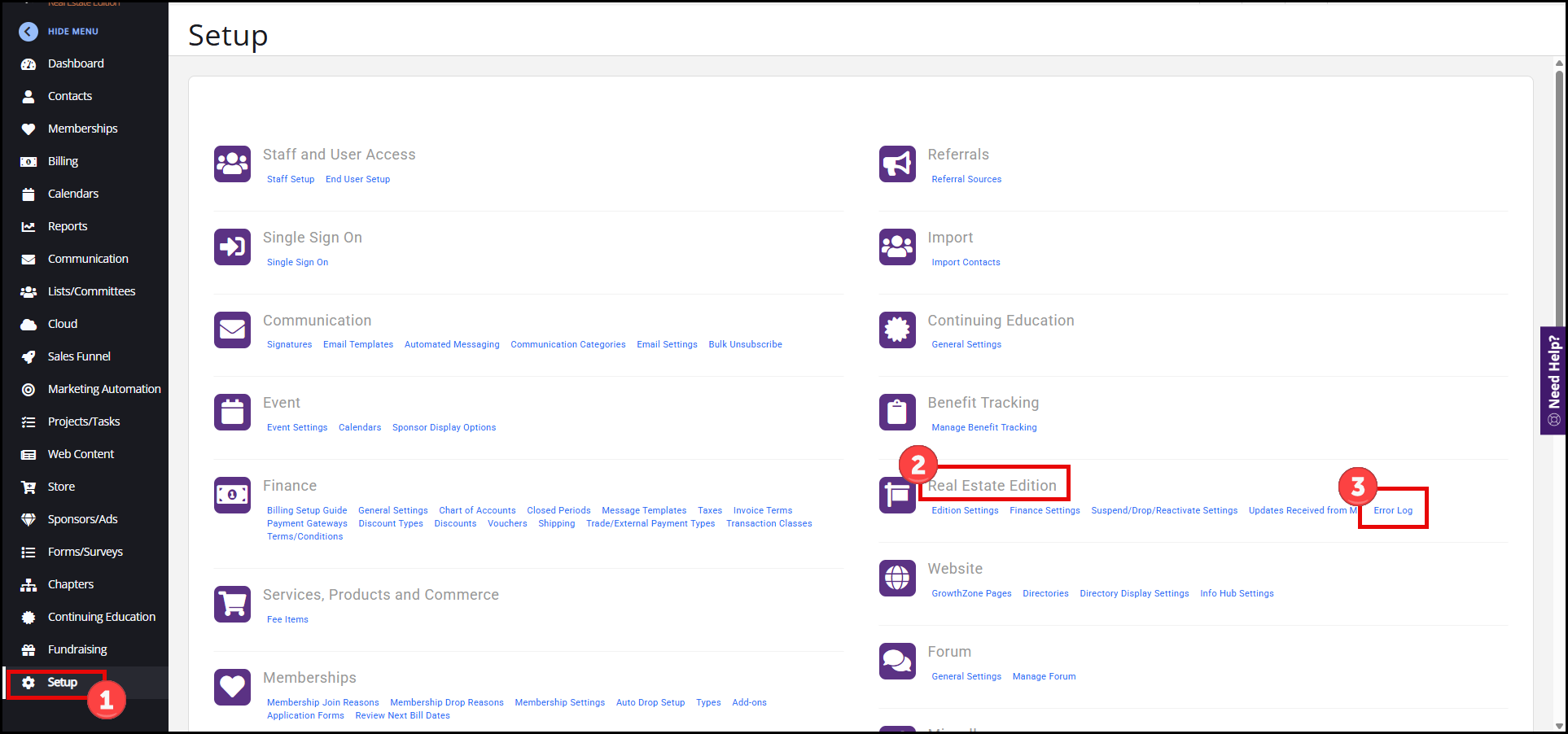
- Go to Setup.
- Under Real Estate Edition, click on Error Log.
How the Error Log Works
-
Errors from the various real estate integrations will be displayed on their own tabs, e.g., M1 Agent, M1 Office, MLS Agent, etc.

-
If errors are corrected, they will no longer appear here.
-
Errors will be cleared if they’re corrected during the next sync for the various integrations.
-
The only errors that will show should be errors that you can correct, or are for FYI purposes.
-
Any errors that can't be corrected by staff can be deleted if they don't apply or if it is an understood exception.
-
Errors can be downloaded to a CSV file, which can be easily shared with other staff members to help make necessary corrections.
Error Log Features
There are three main features you can use within the Real Estate Edition Error Log. The image below matches the corresponding feature number to demonstrate where these options are located.
- View the full error message
- Download the Error Log
- Delete unwanted errors
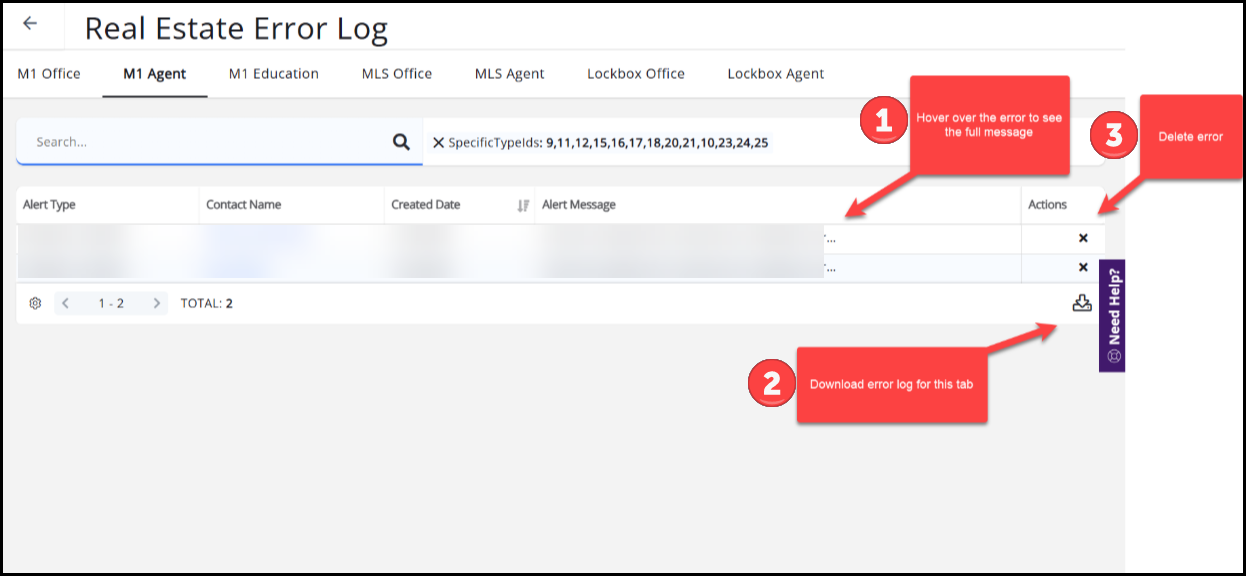
Table Settings
You can edit the Table Settings by clicking the gear icon in the bottom-left corner of any tab (M1 Agent, M1 Education, etc.).
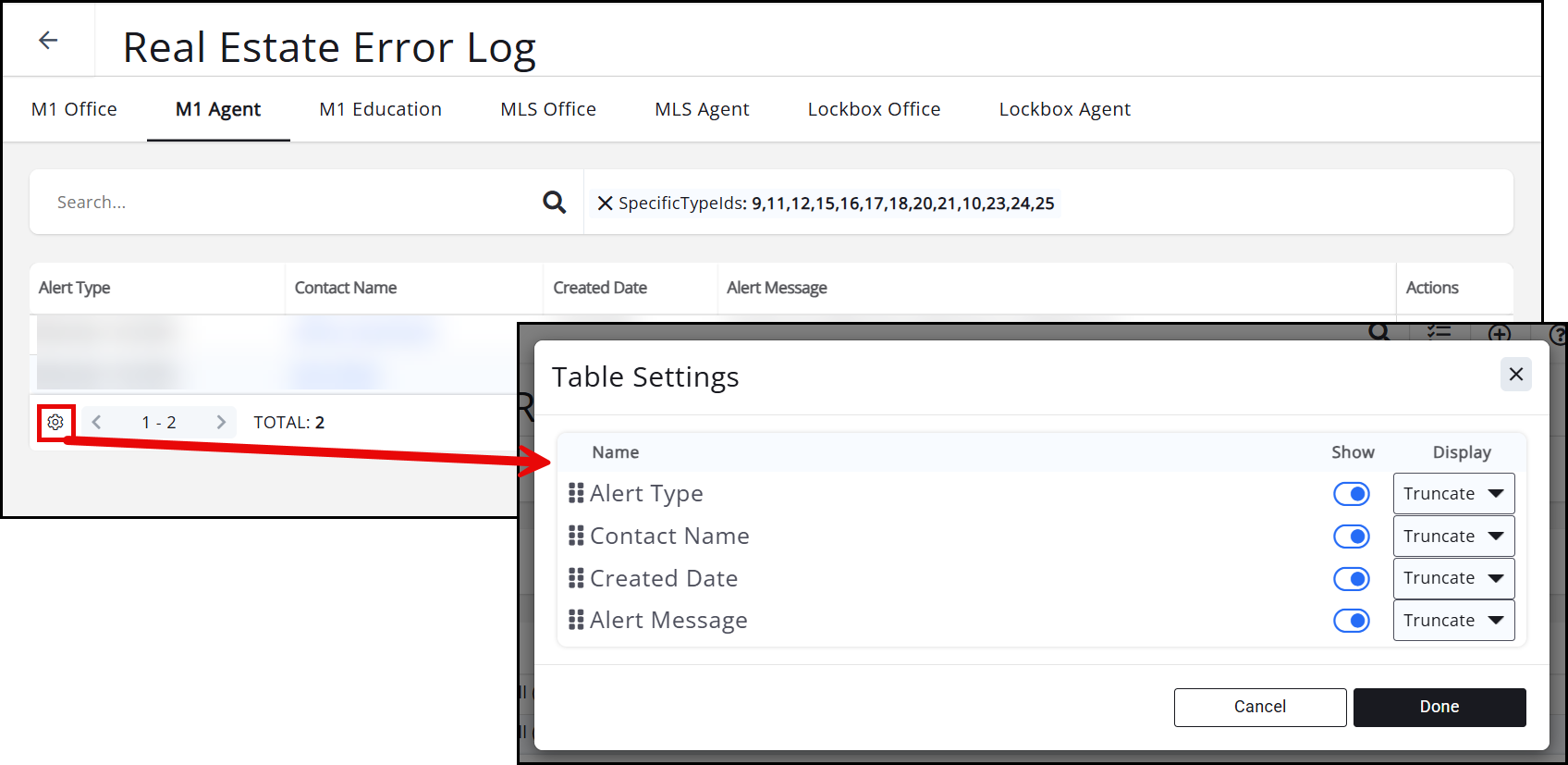
Here, you can display the Alert Type, Contact Name, Created Date, and Alert Message, and choose how to display these fields.

